Umpo
Never argue the score again. Tap who won the point on your Apple Watch: Umpo keeps the score, knows who serves and from which side, and says the score out loud after every point.
For Apple Watch with watchOS 11 or later, and iPhone and iPad with iOS 18 or later. No watch? Score on the iPhone or iPad itself.
The umpire on your wrist
- One tap a point
- Tap the top half of the watch for a point to them, the bottom half for a point to you. That's all there is to do between points, and one tap undoes the last one.
- The score, out loud
- After every point Umpo says the score, “Thirty-fifteen”, “Side out, 4-2-1”, “Deuce”, so nobody has to look. A haptic on every point, and a stronger one for a game, a set or a change of ends.
- The court on your wrist
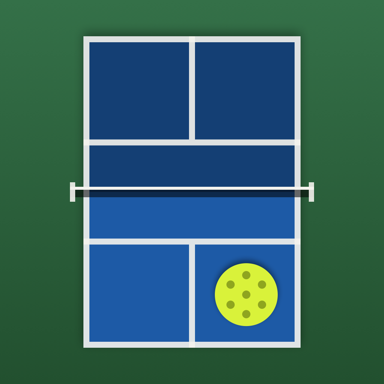
- The watch shows the court from your end: their half in shade, yours in full colour, and the ball where the server serves from. Changes of ends, tiebreaks and side outs show on the net.
- Six sports, their real rules
- Pickleball with side-out or rally scoring and the server number. Padel with advantage, golden point, star point and the super tiebreak. Tennis best of 3 or 5, No-Ad, match tiebreaks, short sets and pro sets. Badminton, squash and table tennis in their official formats and club variants.
- Your club's rules
- Change any rule: games to 11, 15 or 21, win by 2, a cap, a tiebreak at any score. Every sport and every rule is free to play.
- On your iPhone and iPad too
- Set up a match on your iPhone and start it on your Apple Watch, or score on the iPhone or iPad itself, in portrait or landscape.
- Follow it live
- While the watch keeps the score, your iPhone follows the match on the Lock Screen and in the Dynamic Island.
- Every match, point by point
- Every match is kept with its timeline, point by point, and a result card to share with the people you played.
- A workout in Apple Health
- Each match on the watch is saved as a workout in Apple Health, so it counts toward your rings, with your heart rate and energy on the watch as you play.
You call the points, Umpo calls the score
Umpo doesn't see the ball or judge the lines. It counts the points you tap and applies the rules you chose: the score, who serves and from which side, and when to change ends.
If a point goes to the wrong side, undo takes it back, and the server and the sides go back with it.
Your matches stay yours
Umpo has no account, no ads, no analytics and no tracking. Your matches, names and saved rules stay on your devices, and your watch and iPhone pass them to each other directly. Workouts go to Apple Health only, and the score is spoken by your device's own voice.
Free, or Umpo Plus
Free
Scoring on Apple Watch, iPhone and iPad, every sport and every rule, the spoken calls, workouts, your history with the result card, and the Live Activity. No ads and no time limit.
Umpo Plus
Stats for every match: points won on serve and on return, the longest run, the comeback, game by game. Your record over time, with each partner and against each opponent. And your own rules, saved by name and started on the watch in one tap. $9.99 a year after a 7-day free trial, or $14.99 once for life, shared with your family. If Plus ends, nothing is locked: your matches stay, and saved rules can still be played.
US prices. Other App Store countries bill in their own currency.
Support
Do I need an Apple Watch?
No. On the home screen, tap “Score on this iPhone” (on iPad, “Score on this iPad”) and score on the screen the same way: the top half for a point to them, the bottom half for a point to you. The watch lets you keep your phone off the court.
How do I start a match on my Apple Watch?
Open Umpo on the watch and tap “Same as last time”, or choose a sport, the rules, the players and who serves first. Or set up the match on your iPhone and tap “Start on Apple Watch”: the watch app opens with the match ready.
I gave a point to the wrong side.
Tap undo. On the watch it's the small round button on the net; on iPhone and iPad it's “Undo” in the bar above the court. The point is taken back, with the server and the sides.
How do I turn the spoken score off?
On the watch, swipe from the court to the match controls and tap the calls button. On iPhone and iPad, open Settings in Umpo and turn off “Call the score out loud”. The watch and the phone each have their own switch.
Can we play our club's rules?
Yes, for free. When you set up a match on your iPhone, tap “Change the rules”: the points in a game, win by 2 or a cap, the deciding point, tiebreaks, changes of ends and more. With Umpo Plus, tap “Save these rules” to keep them under a name; saved rules show up on your watch too.
Why does Umpo ask for access to Apple Health?
So the watch app can save each match as a workout and show your heart rate and energy while you play; the workout also keeps the score on the watch's screen. The iPhone uses it to open the watch app when you tap “Start on Apple Watch”. Your Health data never leaves Apple Health.
Where are my matches?
In History on your iPhone, every match from the watch and the phone, point by point, with a result card to share. A match scored on the watch reaches the iPhone the next time the two are connected.
What happens if Umpo Plus ends?
Nothing is locked. Scoring, every sport and every rule, the calls, workouts, history and the Live Activity stay free, your matches stay, and saved rules can still be played. You can't save new rules or see the stats until you have Plus again.
How do I get Umpo Plus back on a new iPhone?
Sign in with the same Apple Account, open Settings in Umpo and tap “Restore Purchases”. The lifetime purchase is shared with your family through Family Sharing; the yearly plan isn't.
How do I cancel the subscription?
On your iPhone, open the Settings app, tap your name, then Subscriptions, then Umpo. Cancel at least 24 hours before the renewal date, or before the free trial ends, and you won't be charged.
How do I delete a match?
In History, swipe left on the match and tap Delete. It's removed from that device and can't be brought back. Deleting the app removes everything it kept on that device. Workouts stay in Apple Health until you delete them there.
Something else? Write to us with your watch and iPhone models, their system versions and the sport you were playing. If the score or the server was ever wrong, tell us the rules you played and the score where it went wrong.
support@pupik.studio